
Device Instructions
How to set up the delivered noise monitoring measurement device
Unboxing
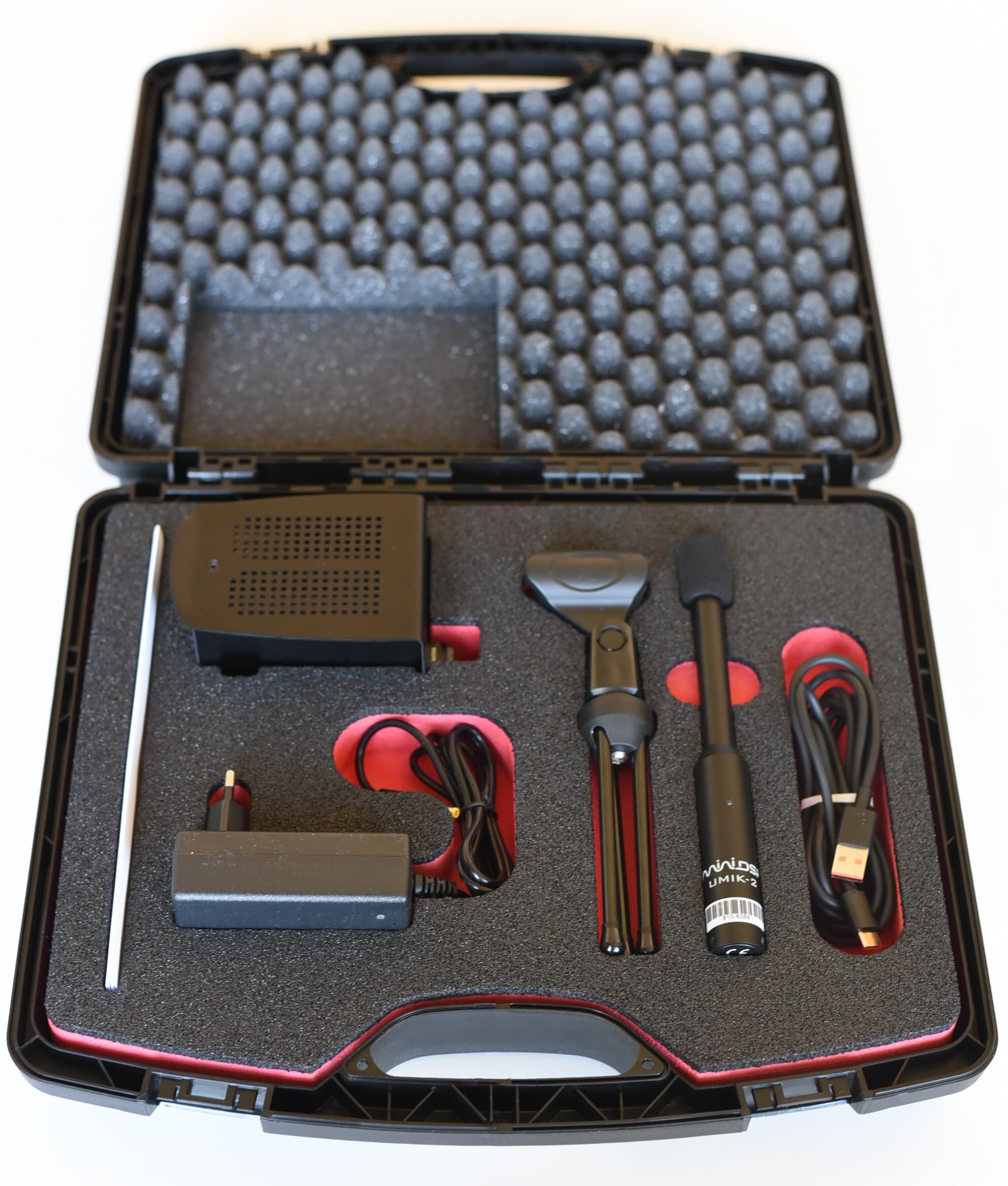
The package contains five items:
- The measurement device
- Power adapter
- Measurement microphone
- USB-C cable
- Microphone stand
Assembling
Plug the connector of the power adapter into the jack marked '8.4 V'. Connect the microphone via the USB-C cable to the port marked 'Mic'. Make sure that the USB-C connector is plugged all the way in, it can sometimes require a bit of force. Secure the microphone in the clip on the stand and unfold the legs.
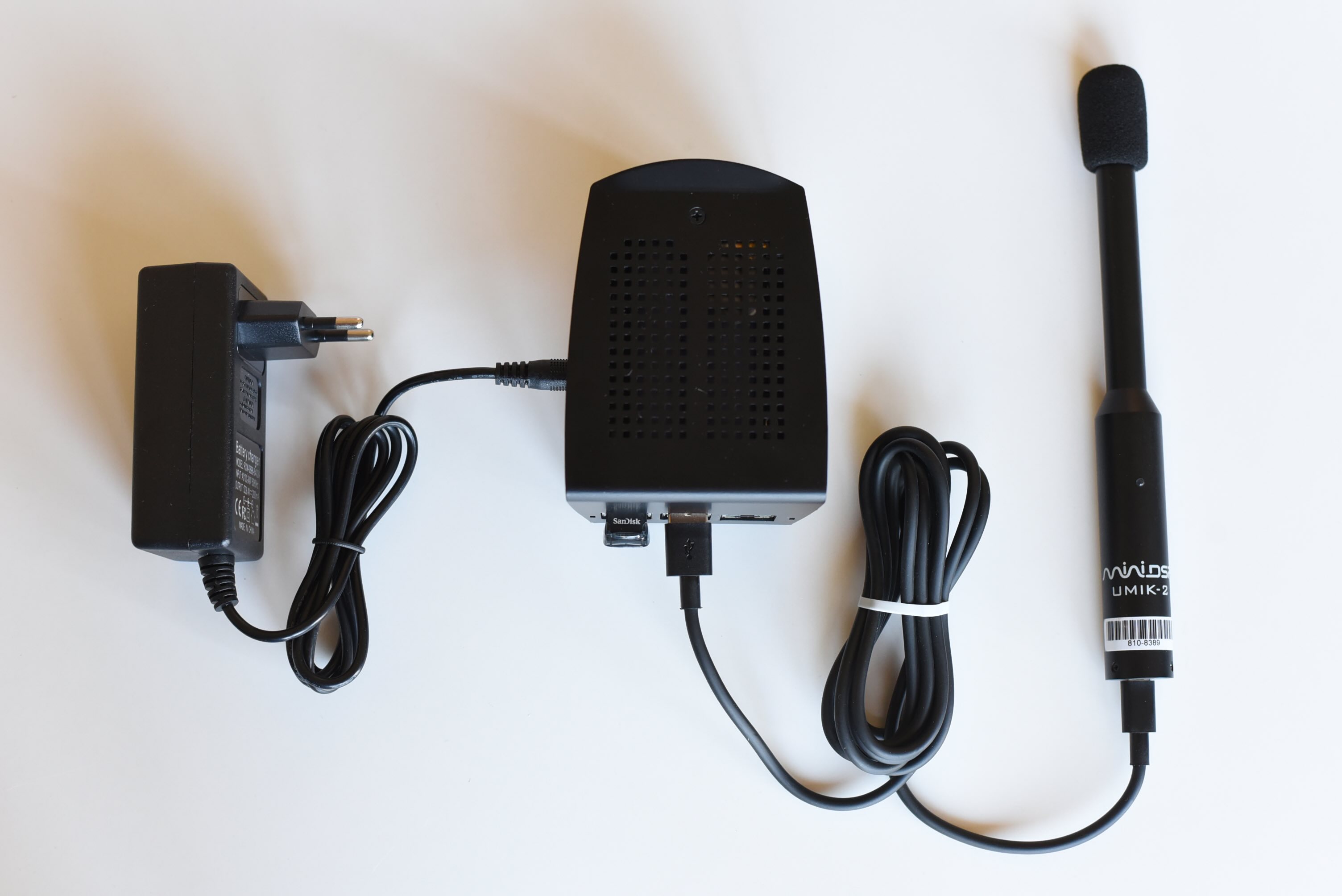
The assembled measurement device ready for operation
Placement
- Choose a spot where the device will not be disturbed (e.g. by children, pets, cleaning), and where no loud sounds from an obvious source are present (AC, Ventilator, buzzing electronics, fridge, ...).
- Use a mains outlet that is permanently powered (not switched).
- For the microphone: pick a location where the noise can be heard, without air draughts and with no interfering sounds or electromagnetic fields in direct proximity. Avoid ventilated devices, power cables, and so on.
Note: Precise orientation of the microphone has no importance, it is omnidirectional.
Power on
Switch the ON/OFF slider to ON on the side of the device. Through the rear vent you should see red and green LEDs blinking faintly. After approximately 30 seconds the green activity LED on the top of the device behind the ventilation grill lights up. It will briefly turn off and on periodically while the measurement runs.
Log events during measurement
At any given times during the measurement, go on www.sonotrazer.ch/de/events from your PC or Smartphone to log your impressions about the noise situation, or documenting A/B tests (heating on/off, fridge on/off, ...). Do not forget to save your changes before exiting the page.
Power off after the measurement
Important
The activity LED regurailly briefly turns off while the device is writing to the usb disk. Therefore slide the switch to OFF only while the LED is lit. The device must not be saving data when powered off or data could be lost.
Packing & sending back
Use the original packaging and padding. Ensure parts cannot collide when shaken. Tape all seams securely and send us the tracking code so we can follow the shipment.
Further details
- The internal battery keeps recording for approximately 3-4 hours if power fails.
- You may pause a measurement by switching OFF and later ON again — leave the USB microphone connected.
Device Instructions - Sonotrazer
For online help with analysis features, visit sonotrazer.ch/help/